



































Products
Solutions
Resources
Company

The source code for Android 15 was released on September 3rd, as announced on the Android Developers Blog, and Google started rolling out Android 15 for Pixel devices on October 15th.
Improvements in privacy and security features have been announced and commented on in many articles [security.googleblog.com, android-developers.googleblog.com, androidauthority.com, kaspersky.com]. Two of the new features address protection against screen spying. Now, as a developer, you can add a callback so the application knows when the screen is being recorded. Moreover, the system will automatically protect windows containing passwords from appearing in a screen recording or casting.
In this article, we discuss the advantages that Android 15 brings with the new anti-screen-spying features as well as specific risky scenarios. We will explain and demonstrate how security problems may occur despite the Android 15 security advances and how our standing recommendations [secure_flag, secure-in-app-keyboard] are still important protections against unwanted screen spying. You will find guidance and the necessary code snippets in our Security Research Center so you can adapt your protections accordingly.
FLAG_SECURE on Android 15?The recording state can be used to identify whether the screen is being recorded or not. There will be two possible states: recording or not recording.
It is possible to register a callback that will be called whenever the recording state changes. In order to do so, we first need to declare permission in the Android manifest:
<uses-permission android:name="android.permission.DETECT_SCREEN_RECORDING" />Now we are ready to implement our callback, screenRecordingCallback, and register it by calling the addScreenRecordingCallback method:
Executor executor = Executors.newSingleThreadExecutor();


Consumer<Integer> screenRecordingCallback = state -> {
     if (state == WindowManager.SCREEN_RECORDING_STATE_VISIBLE) {
          Toast.makeText(this, "[!] Screen recording started!",
               Toast.LENGTH_SHORT).show());

     } else if (state == WindowManager.SCREEN_RECORDING_STATE_NOT_VISIBLE) {
          Toast.makeText(this, "[!] Screen recording stopped!",
               Toast.LENGTH_SHORT).show());
     }
};


windowManager.addScreenRecordingCallback(executor, screenRecordingCallback);
The result can be observed in the animation below:
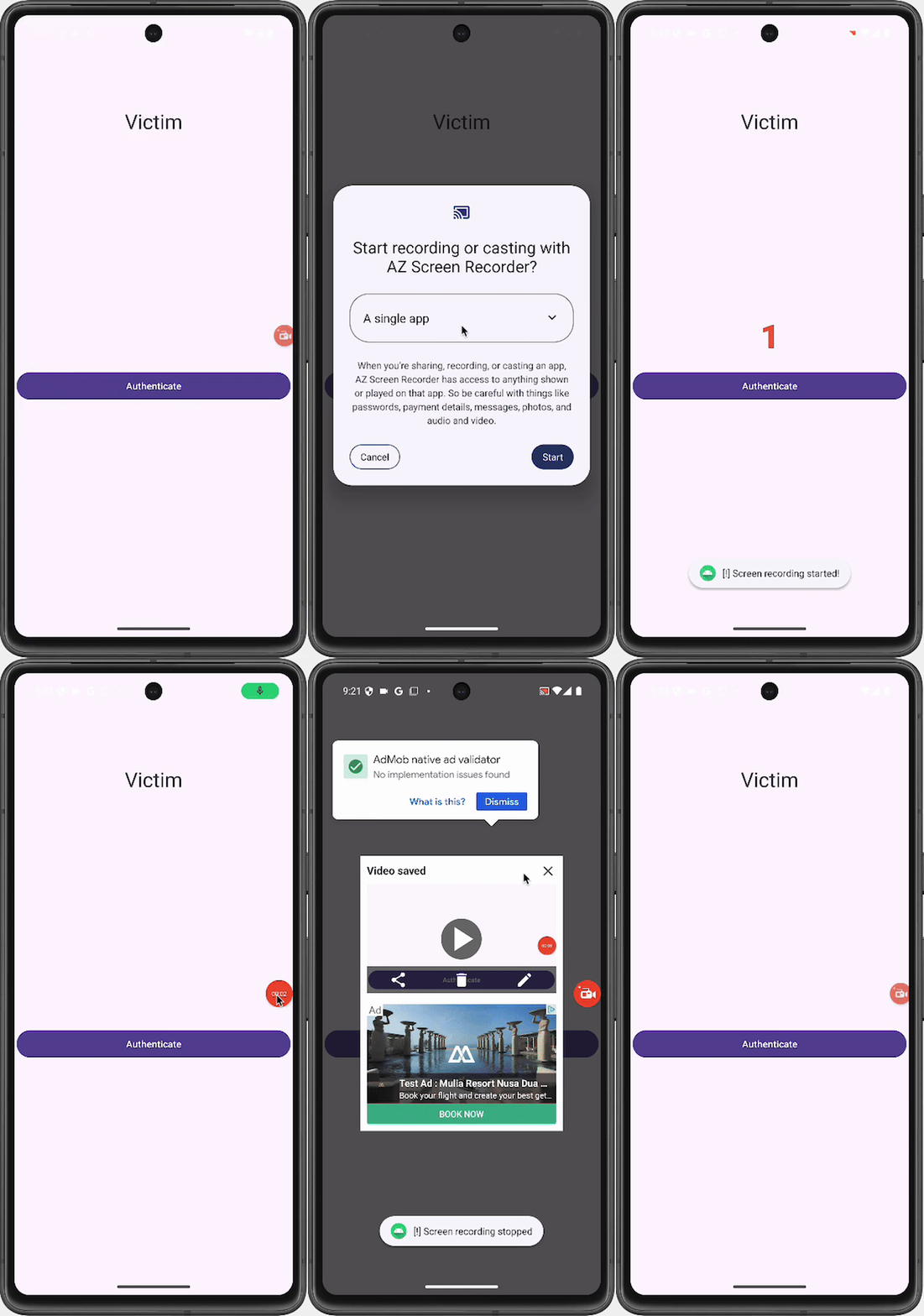
This is a great improvement, as the app can now know when it is being recorded and react accordingly. This augments the screenshot detection feature that was already available on Android 14 [developer.android.com, medium.com]. Moreover, a screen recording callback will also detect any app using the MediaProjection API to take screenshots. Screenshots via buttons cannot be detected via a screen recording callback but can be detected via a screen capture callback on Android 14.
In Android 15, when the system detects that a screen recording session is ongoing, it will automatically protect windows containing a visible password from appearing in the recording. In order to see this password protection approach in action, we used a setup with only one device (an emulator), which is shown below on the left. To the right, the screen of the device being captured through Scrcpy is shown. The system does not detect Scrcpy as a screen recorder. For the screen recorder, we used AZ Screen Recorder. As you can see below, even though Scrcpy is consistently enabled, protections were only triggered when we enabled AZ Screen Recorder, which was detected. At this point, you can see that the screen on the right becomes black if a password field exists.
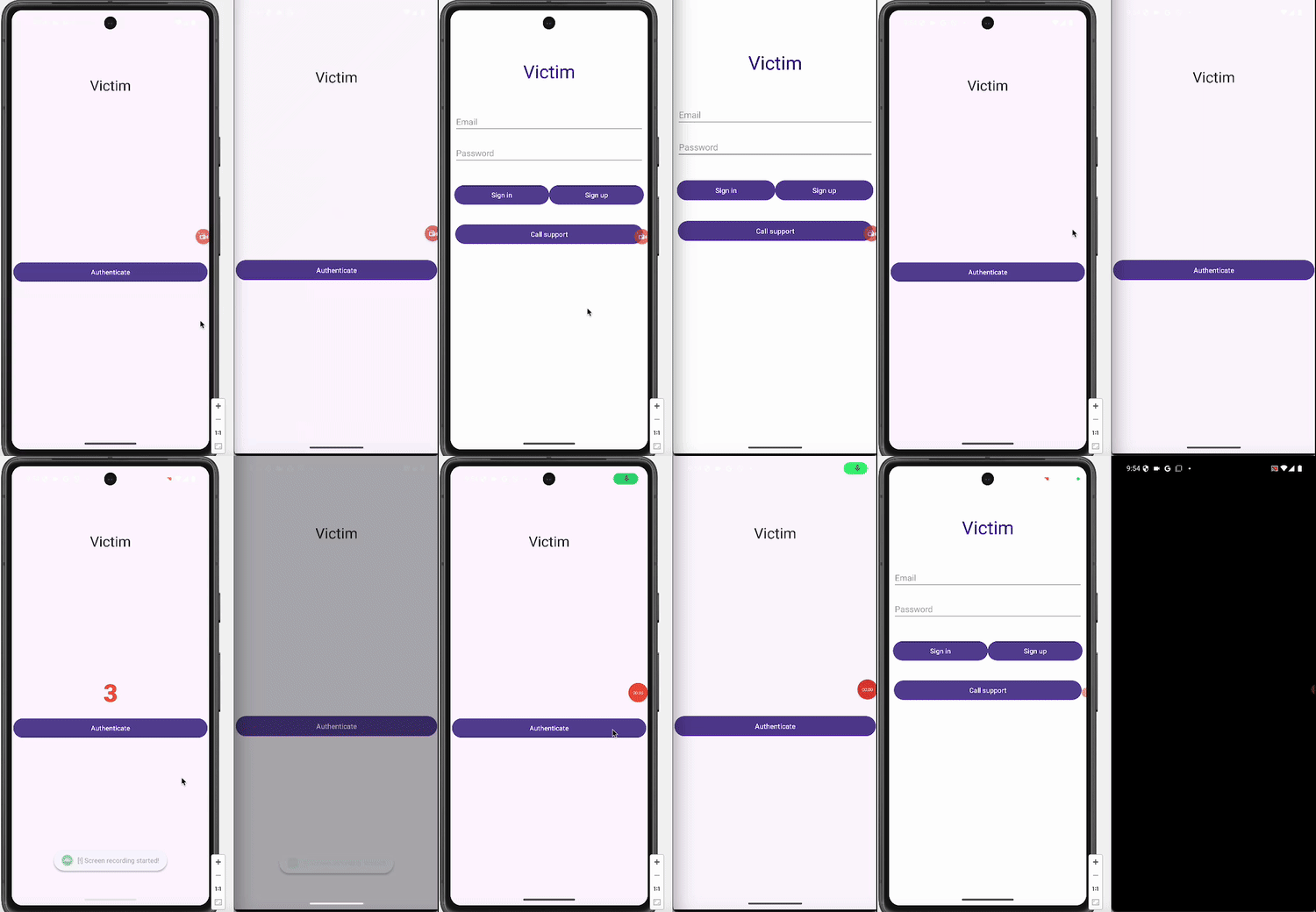
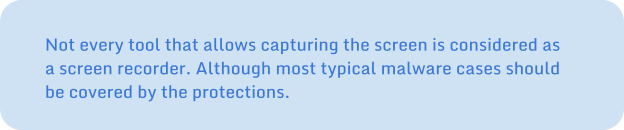
We have just seen that Scrcpy is not recognized as a screen recorder. That’s also the case for the Android /system/bin/screenrecordbinary. It seems that, for Android 15, screen recorders are only identified as those that rely on the MediaProjection API.
We mentioned above that the screenRecordingCallback executes when there is a change in the recording state. Now, what happens if the screen was already being recorded when the application starts? You got it: the callback will not execute. Because it has not witnessed any change in the recording state since it happened when the app was not running yet, the callback does not identify the screen recording. Does this mean that, if recording starts before, the app’s screen could be recorded without the app being aware of it? No, if we use the return value when we add the callback:
int currentScreenRecordingState = windowManager.addScreenRecordingCallback(executor,
       screenRecordingCallback);
Thus, if there is an ongoing recording session, the currentScreenRecordingState value will be 1. Hence, an action can be triggered at this point.
Moreover, if the app is “minimized” and then resumed, the callback will execute.
In any case, as the system is aware of the ongoing screen sharing, password windows are still protected.

When looking at the developer options, we can find one to “disable screen share protections,” which is described as “turn off system protections for sensitive app content for upcoming screen share sessions.” Note the word “upcoming,” as this is relevant for the attacks we’ll explain later.
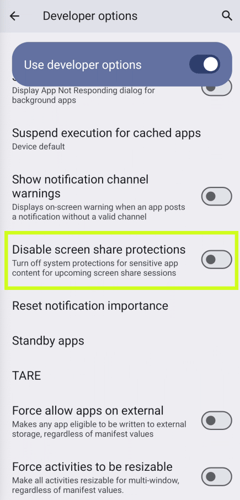
Basically, if this option is enabled, our passwords won’t be safe anymore, in case a recording session ever goes undetected. We can think of a user being tricked, through social engineering, into enabling this option. But there is something else, this option can also be enabled with shell privilege (if the user is convinced to enable their device’s developer mode) or with root privilege. It can be achieved, for instance, by executing any of the commands below:
# content insert --uri content://settings/global --bind name:s:disable_screen_share_protections_for_apps_and_notifications --bind value:i:1Or
# settings put global disable_screen_share_protections_for_apps_and_notifications 1Let’s see why password hiding should not be blindly trusted, and why screen recording callbacks should be used. We’ve also mentioned that the return value when adding the callback should be checked. Let’s see how an attack could occur if some of those aspects are neglected. For instance, we can consider an app using callbacks, but not checking the value returned from addScreenRecordingCallback. In order to evade the screen recording callback, the attacker will start recording before the application starts:

Let’s see it:
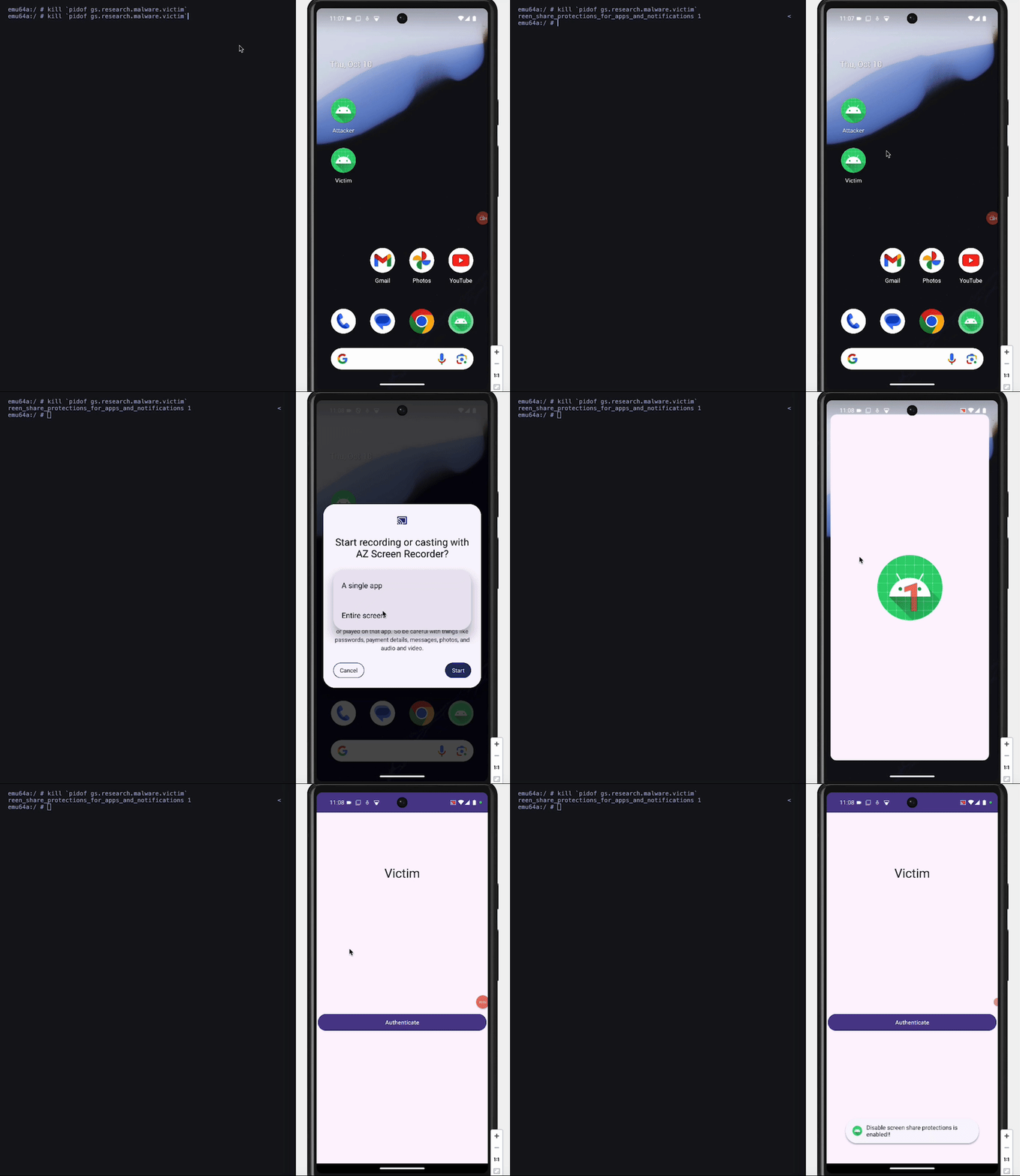
Sadly, both mechanisms can be bypassed by following the sequence below:
1. Kill the app.
2. Disable the protection.
3. Start a screen recording session.
4. Re-enable the protection.
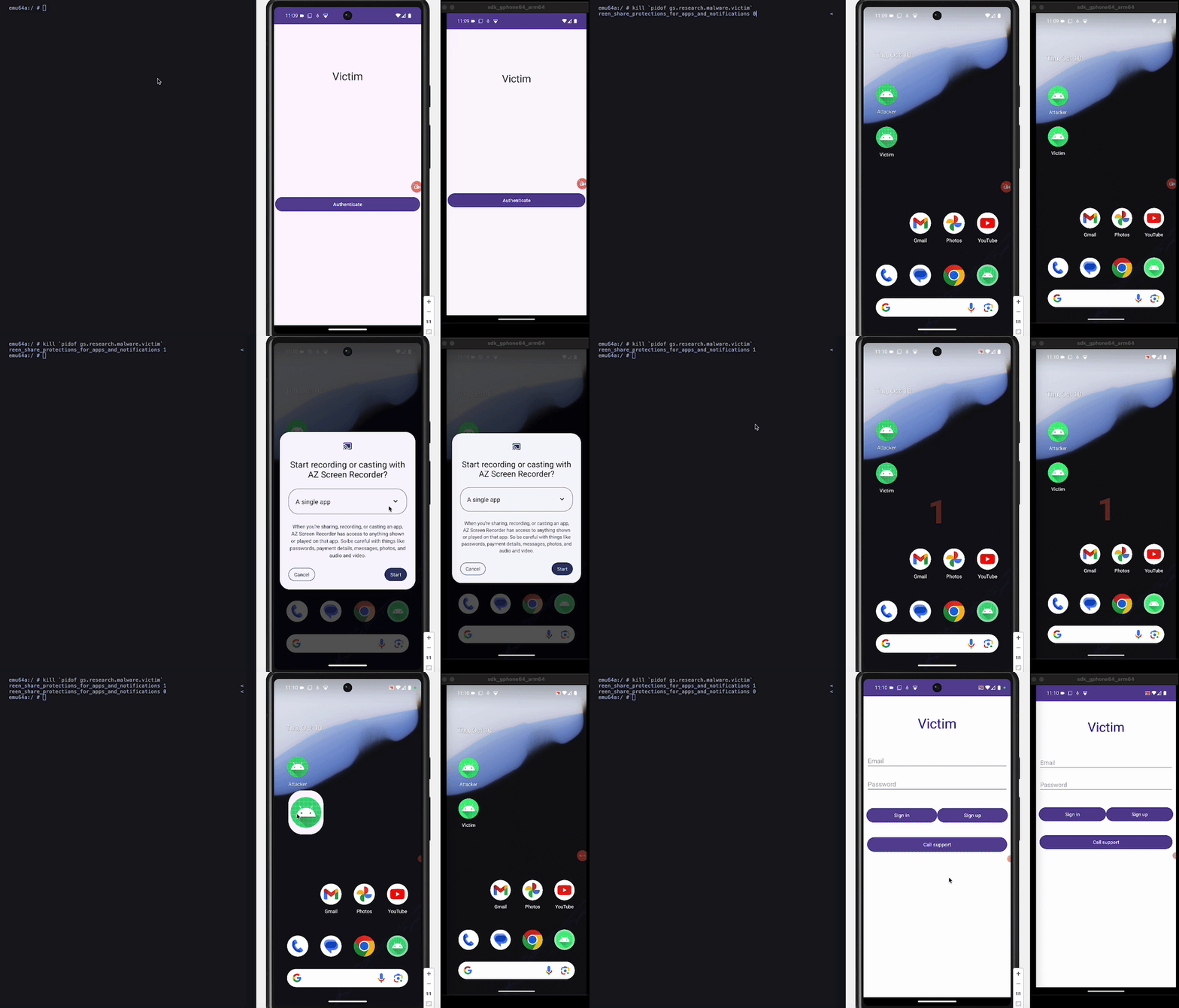
Step (1) allows an attacker to exploit the fact that the screen recording callback won’t execute if the screen was already being recorded when the app started. Step (2) makes the screen recording session started in Step (3) go unnoticed, Step (4) prevents the settings checks from triggering. Thus, when the app starts next, it will not notice the attack, and passwords will be leaked through the screen, as the protection will be disabled.
The attack is shown in the animation below. Note that, when we can see the login screen in the Scrcpy projection (to the right), it means that the password window is not being protected.
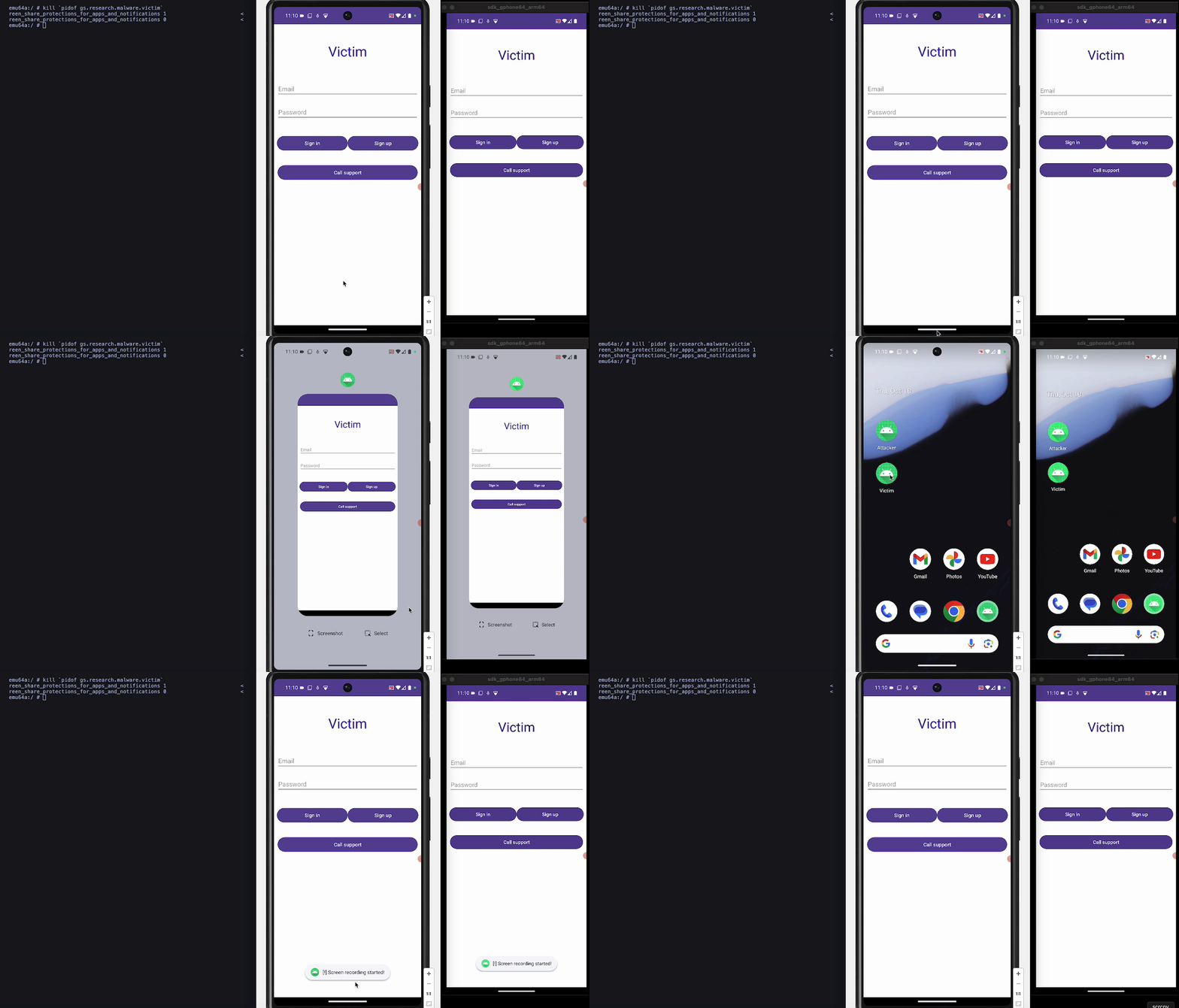
One point of good news: if the app goes to the background and then returns to the foreground, the screen recording callback will execute and detect the attack. This is shown in the animation below:

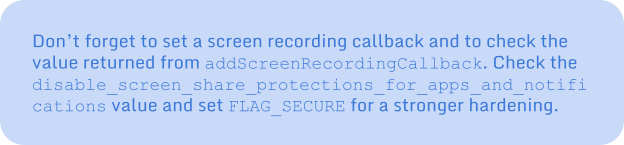
The new features to protect apps' privacy from screen spying are effective and useful, but they need to be properly configured, as specific situations entail risk. You can now adapt the behavior of your application to react to the event of having another app watching your app's screen and passwords, and, most of the time, they will be protected. However, we have seen that sensitive data can still be leaked through the screen, especially on devices with ADB enabled or when malware has root privilege. Setting a screen recording callback and checking the current status at the moment of adding the callback becomes essential. Additional security layers, like checking the value of disable_screen_share_protections_for_apps_and _notifications or setting the classical FLAG_SECURE, can be added. So, coming back to our initial question: "do we still need FLAG_SECURE?", strictly speaking no, but it becomes one more barrier for the attacker to overcome and, at the same time, it is important for legacy devices.
Ready to get started? Check out our latest updates on the Security Research Center to learn about:
Screen Recording Callback
Screen Sharing Security Settings Monitoring